Kostenlos · macOS 14+ · Keine Cloud Free · macOS 14+ · No Cloud

Deine Claude Skills.
Endlich im Griff.
Your Claude Skills.
Finally under control.

SkillExplorer ist die native macOS-App, die alle deine Claude Code Skills zentral verwaltet – und sie per Symlink in jede deiner Vibe-Coding-Apps bringt. Einmal einrichten, überall nutzen. SkillExplorer is the native macOS app that manages all your Claude Code skills centrally – and brings them into each of your vibe coding apps via symlink. Set up once, use everywhere.

100 % kostenlos. Kein Abo. Keine Cloud. 100% free. No subscription. No cloud.

SkillExplorer Screenshot

Die Story dahinter The story behind it

Aus einer Symlink-Orgie geboren. Born from a symlink nightmare.

Ich nutze verschiedene Vibe-Coding-Tools – Claude, Cursor, Cline, Codex und andere. Jedes davon hat sein eigenes skills/-Verzeichnis. Und jedes Mal, wenn ich einen neuen Skill hatte, musste ich ihn in jedes dieser Verzeichnisse kopieren.

I use several vibe coding tools – Claude, Cursor, Cline, Codex and others. Each has its own skills/ directory. And every time I created a new skill, I had to copy it into each of those directories.

Irgendwann hatte ich die Schnauze voll. Verschiedene Versionen, verstreute Dateien, keine Übersicht. Mein erster Ansatz: ein zentrales Verzeichnis und Symlinks in die jeweiligen App-Ordner. Klingt elegant – führte aber zu einer echten Symlink-Orgie. Ständig neue Links, schwer nachvollziehbar, schnell unübersichtlich.

At some point I'd had enough. Different versions, scattered files, no overview. My first approach: a central directory and symlinks into each app folder. Sounds elegant – but it quickly became a genuine symlink nightmare. Constantly creating new links, hard to track, chaotic within days.

Also hab ich mir einfach eine App gebaut. Das Konzept ist simpel: ein zentrales Skills-Verzeichnis, in dem alle Skills liegen. SkillExplorer erstellt von dort aus Symlinks in die jeweiligen Skills-Unterverzeichnisse der Apps – sauber, übersichtlich, ohne Hexerei.

So I just built an app. The concept is simple: one central skills directory where all skills live. SkillExplorer creates symlinks from there into the skills subdirectory of each app – clean, clear, no magic required.

Als Bonus: direkte Suche in skills.sh – der Community-Plattform für Claude Code Skills – und Backup-Export mit einem Klick.

As a bonus: direct search on skills.sh – the community platform for Claude Code skills – and one-click backup export.
Alles, was du brauchst.
Nichts, was du nicht brauchst.
Everything you need.
Nothing you don't.

🗂️

Zentraler Hub Central Hub

Alle deine Skills an einem Ort. Kein Suchen in verschachtelten Ordnern. SkillExplorer zeigt dir sofort, welche Skills installiert sind und wo sie liegen. All your skills in one place. No digging through nested folders. SkillExplorer shows you instantly which skills are installed and where they live.

🔗

Symlink-Management Symlink Management

Verknüpfe Skills per Klick mit deinen Apps. SkillExplorer erstellt saubere Symlinks vom zentralen Hub in die Skills-Verzeichnisse deiner Vibe-Coding-Tools – Claude, Cursor, Cline, Codex, Trae und mehr. Link skills to your apps with a click. SkillExplorer creates clean symlinks from the central hub into the skills directories of your vibe coding tools – Claude, Cursor, Cline, Codex, Trae and more.

🔍

Skill Store Skill Store

Suche direkt in skills.sh – der Community-Plattform für Claude Code Skills – und installiere neue Skills mit einem Klick, ohne den Browser zu öffnen. Search directly on skills.sh – the community platform for Claude Code skills – and install new skills with one click, without opening a browser.

🔒

Lokal & kostenlos Local & free

Keine Cloud, kein Account, kein Abo. SkillExplorer läuft vollständig auf deinem Mac. Deine Skills und Projekte bleiben privat – immer. Und das alles kostenlos. No cloud, no account, no subscription. SkillExplorer runs entirely on your Mac. Your skills and projects stay private – always. And all of this for free.

💾

Backup & Restore Backup & Restore

Exportiere alle deine Skills als ZIP-Backup – und stelle sie mit einem Klick wieder her. Perfekt bevor du deinen Mac wechselst oder ein neues System aufsetzt. Export all your skills as a ZIP backup – and restore them with one click. Perfect before switching Macs or setting up a new system.

Sieh selbst. See for yourself.

Zentraler Hub

01

Zentraler Hub Central Hub

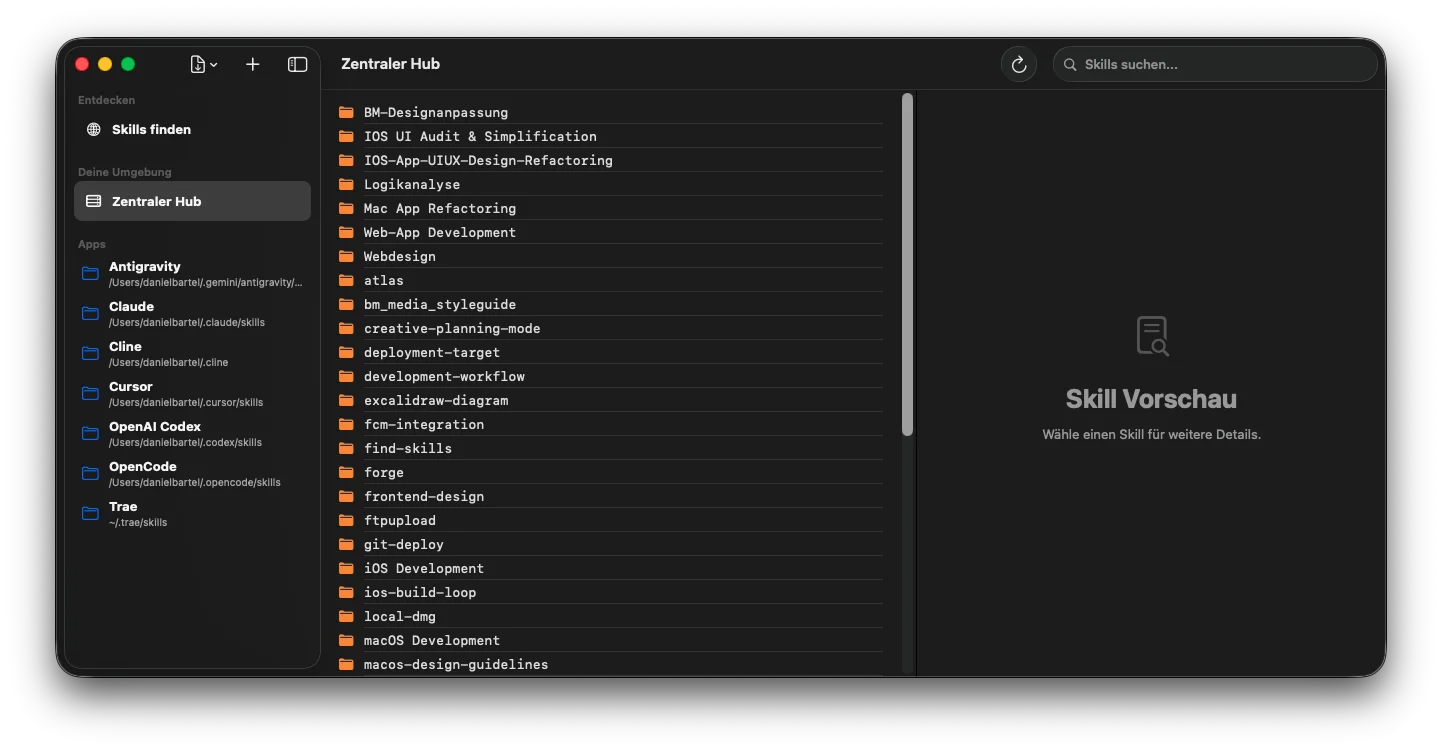
Alle deine Skills auf einen Blick – mit Symlink-Indikator und Suchfunktion. In der linken Spalte: all deine registrierten Vibe-Coding-Apps. All your skills at a glance – with symlink indicator and search. In the left column: all your registered vibe coding apps.

App-Verknüpfungen

02

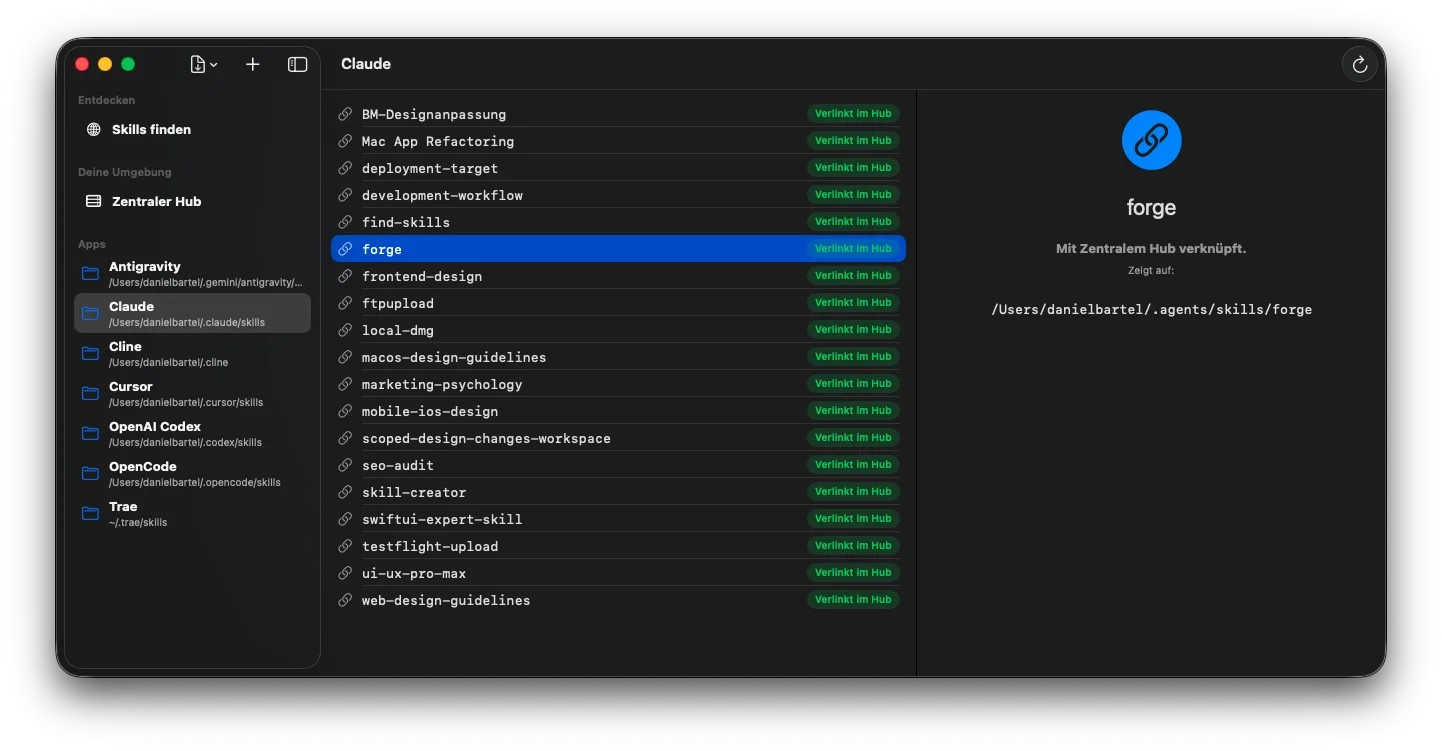
App-Verknüpfungen App Links

Wähle eine App aus – SkillExplorer zeigt dir sofort, welche Skills verlinkt sind. Grünes Badge = per Symlink mit dem Hub verbunden. Select an app – SkillExplorer instantly shows which skills are linked. Green badge = connected to the hub via symlink.

Skill Store Suche

03

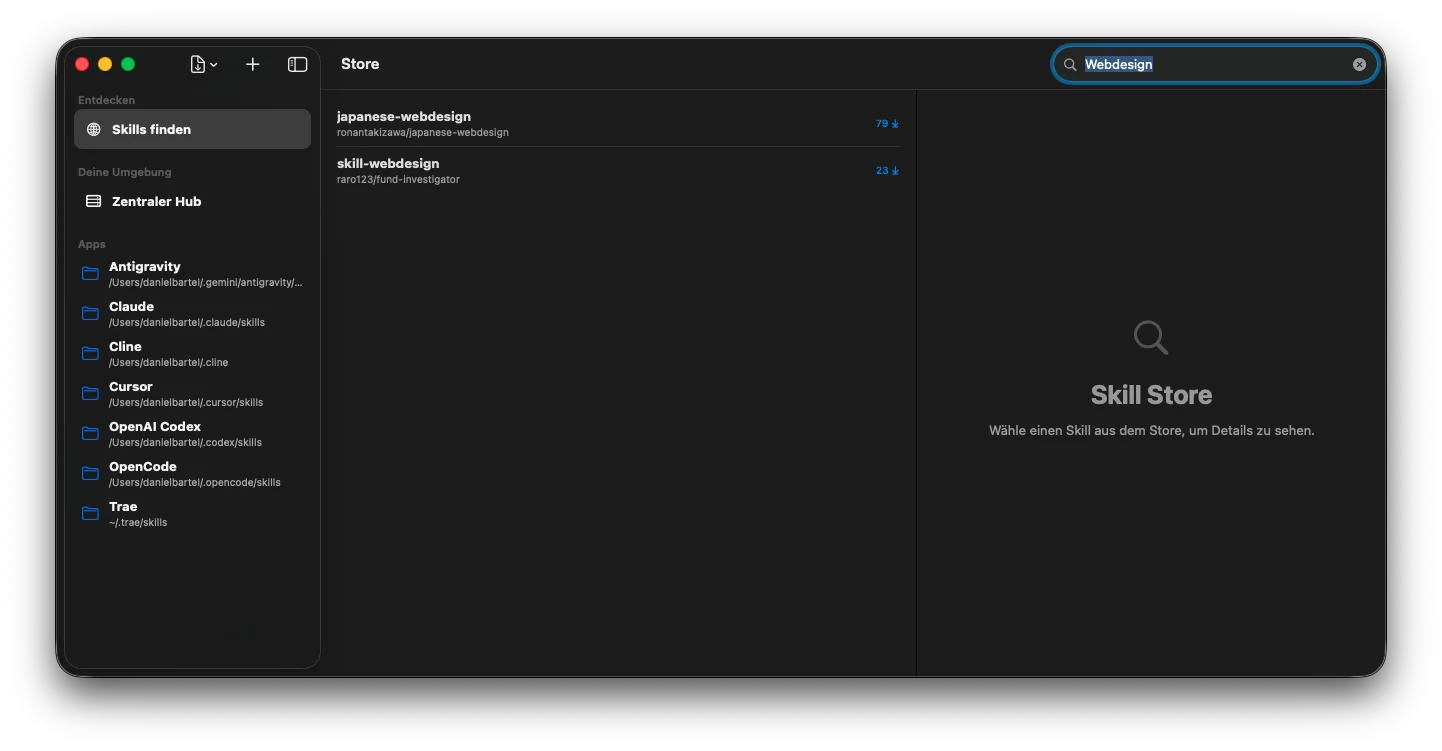
Skill Store – Suche Skill Store – Search

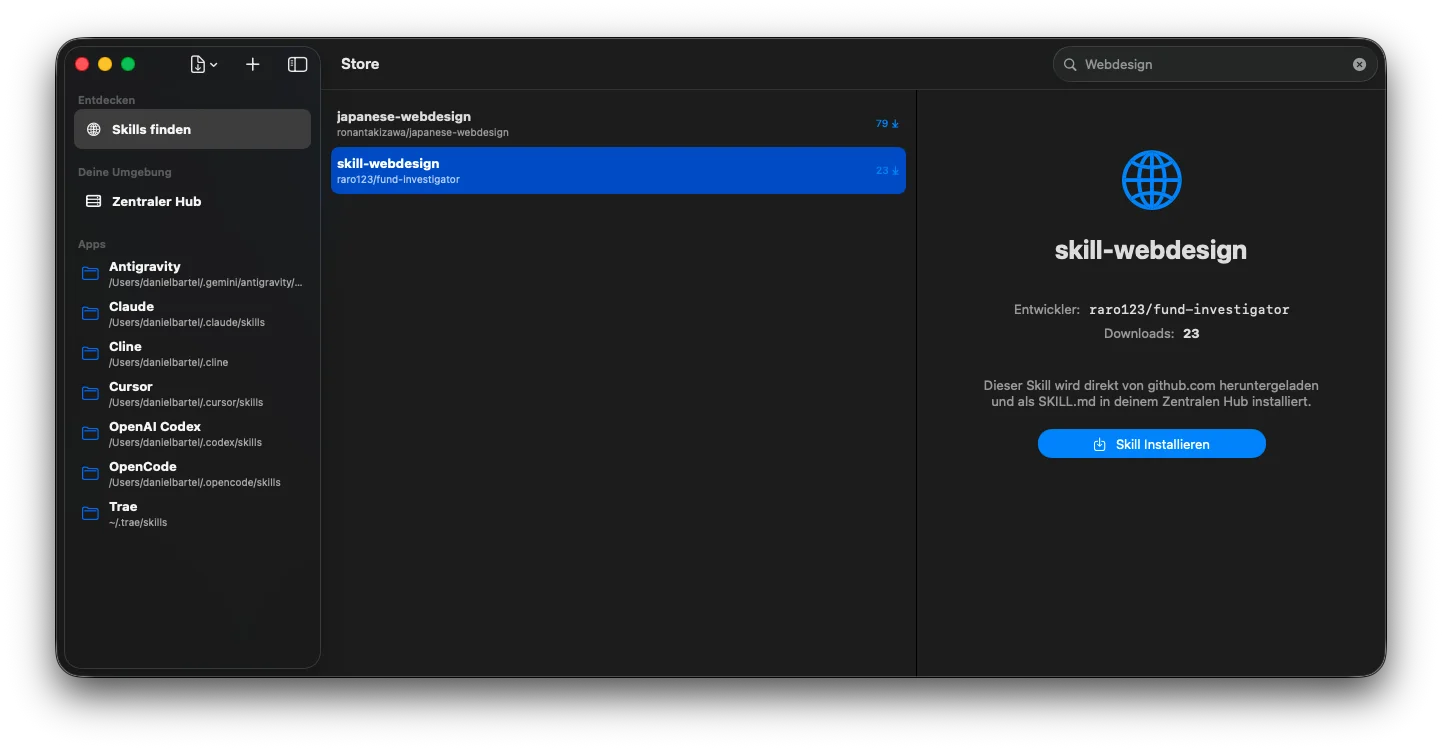
Suche direkt nach Community-Skills auf skills.sh – nach Stichwort, Kategorie oder Technik. Mit Download-Zählern für Orientierung. Search community skills on skills.sh directly – by keyword, category or technology. Download counts help you pick the right one.

Skill installieren

04

Skill-Details & Installation Skill Details & Install

Skill auswählen, Details lesen, mit einem Klick in den Hub installieren – direkt von GitHub. Select a skill, read the details, install it into the hub with one click – directly from GitHub.

Neue App hinzufügen

05

App hinzufügen Add App

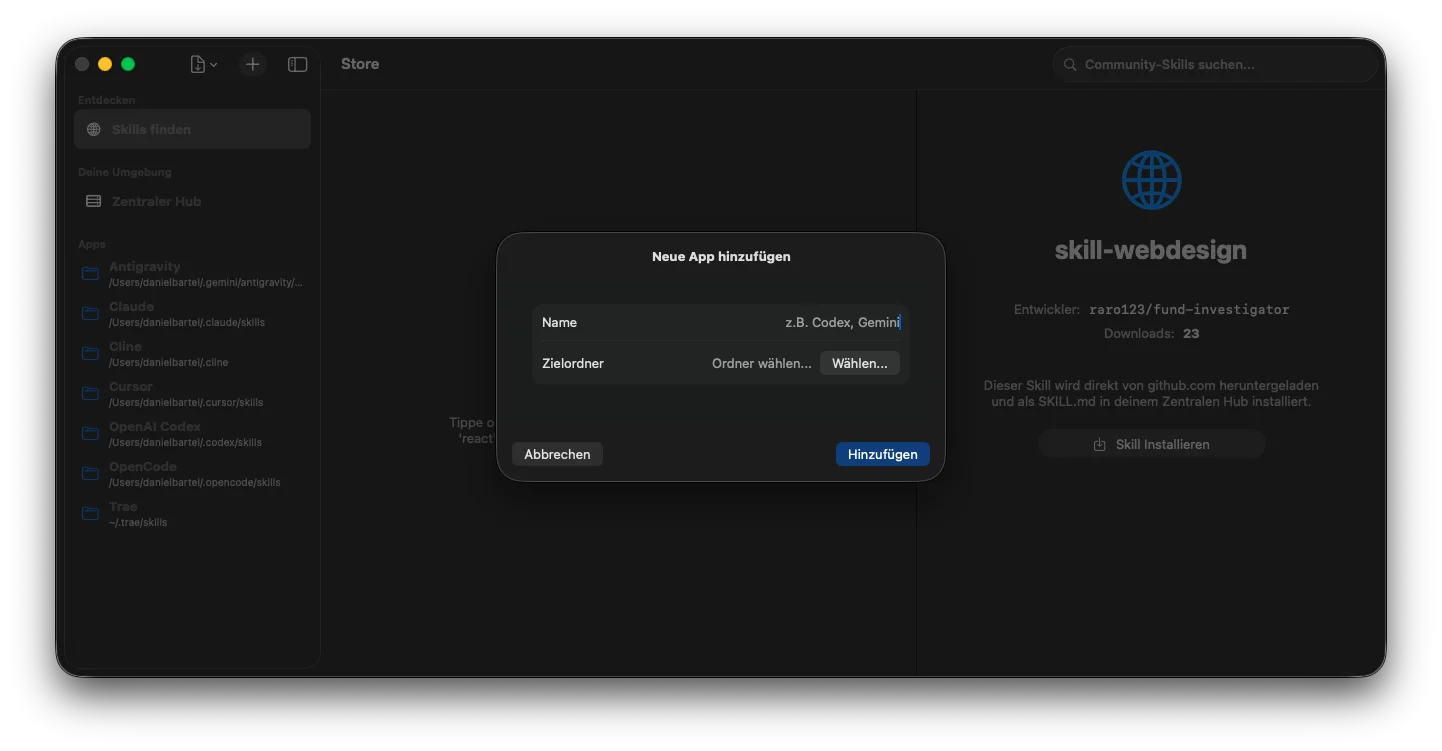
Neue Vibe-Coding-App registrieren: Name eingeben, Skill-Ordner wählen – fertig. SkillExplorer erkennt vorhandene Skills sofort. Register a new vibe coding app: enter a name, pick the skills folder – done. SkillExplorer detects existing skills right away.

Backup

06

Backup & Restore Backup & Restore

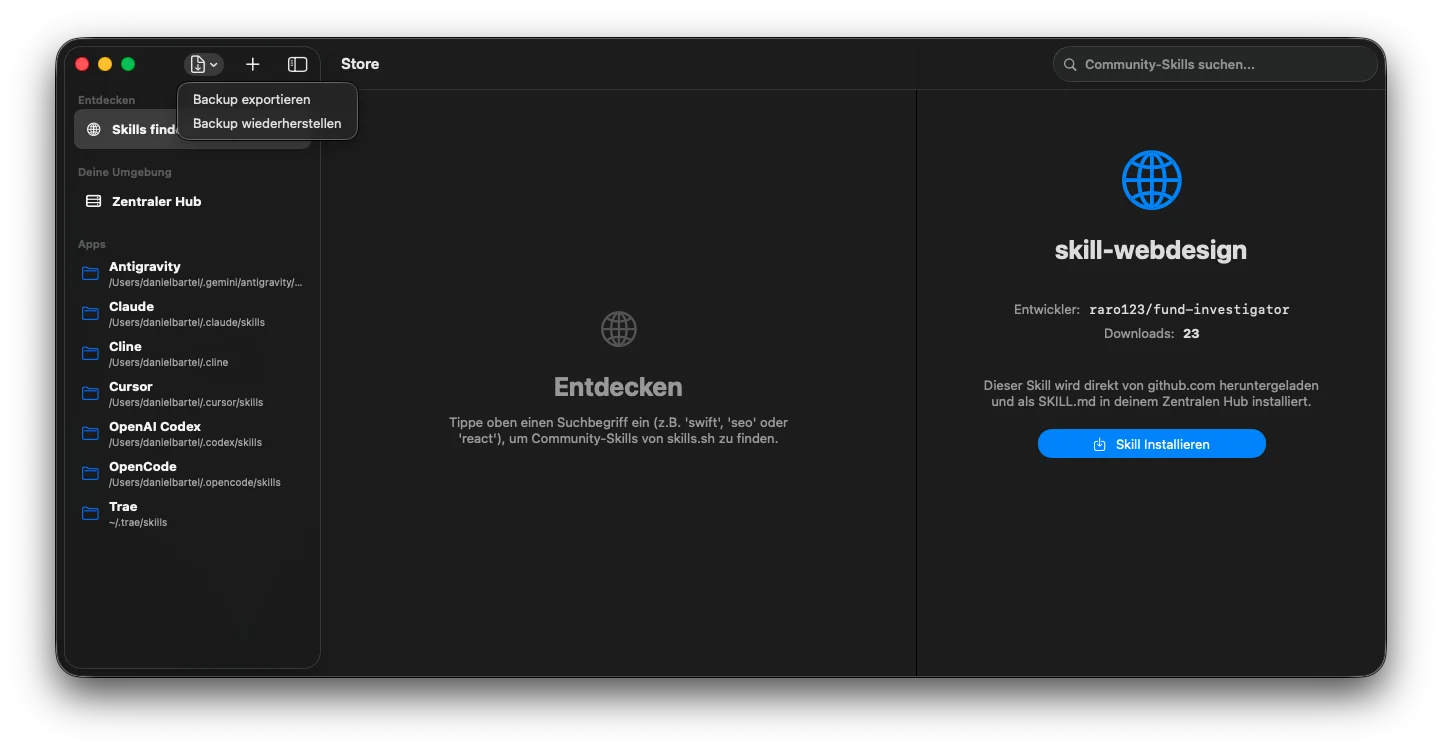
Export und Wiederherstellung aller Skills per Klick im Menü. Ideal beim Mac-Wechsel oder als Sicherung. Export and restore all skills via a menu click. Ideal when switching Macs or as a safety net.

🎁

Komplett kostenlos. Kein Abo. Kein Account. Completely free. No subscription. No account.

Bereit loszulegen? Ready to get started?

Lade SkillExplorer herunter und bring endlich Ordnung in deine Claude Code Skills. Download SkillExplorer and finally bring order to your Claude Code skills.

Für macOS herunterladen Download for macOS

macOS 14 Sonoma oder neuer · SkillExplorer.dmg · 584 KB macOS 14 Sonoma or later · SkillExplorer.dmg · 584 KB

Installation Installation

So richtest du SkillExplorer ein. How to set up SkillExplorer.

SkillExplorer ist nicht im Mac App Store erhältlich und daher nicht von Apple signiert. macOS zeigt deshalb beim ersten Start eine Sicherheitswarnung. Die App ist trotzdem vollkommen sicher – hier erklärt wie du sie zum Laufen bringst. SkillExplorer is not available on the Mac App Store and is therefore not signed by Apple. macOS will show a security warning on first launch. The app is completely safe – here's how to get it running.

Empfohlen Recommended

Methode 1 – Installations-Script (einfach) Method 1 – Install Script (easy)

1

DMG herunterladen und öffnen Download and open the DMG

Klicke auf den Download-Button oben und öffne die heruntergeladene SkillExplorer.dmg per Doppelklick. Click the download button above and open the downloaded SkillExplorer.dmg by double-clicking.

2

Install-Script starten Run the install script

Im geöffneten DMG-Fenster: Doppelklick auf Install SkillExplorer.command. Das Script kopiert die App nach /Applications und entfernt automatisch die Gatekeeper-Sperre. In the opened DMG window: double-click Install SkillExplorer.command. The script copies the app to /Applications and automatically removes the Gatekeeper block.

3

Falls macOS nachfragt: Ausführung erlauben If macOS asks: allow execution

Beim ersten Start des Scripts erscheint möglicherweise ein Sicherheitsdialog. Bestätige mit Öffnen – danach läuft alles automatisch durch. On first run the script may trigger a security dialog. Confirm with Open – everything else runs automatically.

Fertig – SkillExplorer liegt jetzt in /Applications und lässt sich normal starten. Done – SkillExplorer is now in /Applications and opens normally.

Methode 2 – Manuell (ohne Script) Method 2 – Manual (without script)

1. DMG öffnen → SkillExplorer.app in den Ordner /Applications ziehen. 1. Open the DMG → drag SkillExplorer.app into /Applications.

2. Beim ersten Start zeigt macOS: „SkillExplorer kann nicht geöffnet werden, da es von einem nicht verifizierten Entwickler stammt." → Klicke Abbrechen. 2. On first launch macOS shows: "SkillExplorer can't be opened because it is from an unidentified developer." → Click Cancel.

3. Öffne Systemeinstellungen → Datenschutz & Sicherheit → scrolle nach unten zur Meldung über SkillExplorer → klicke „Trotzdem öffnen". 3. Open System Settings → Privacy & Security → scroll down to the SkillExplorer warning → click "Open Anyway".

4. Beim nächsten Start erscheint ein letzter Bestätigungsdialog → Öffnen klicken. Danach startet die App dauerhaft ohne Warnung. 4. On the next launch a final confirmation dialog appears → click Open. After that, the app starts without any warning.

Warum diese Meldung? Apple verlangt für die Verteilung über den App Store eine kostenpflichtige Developer-Mitgliedschaft und einen Notarisierungsprozess. SkillExplorer ist ein kostenloses Indie-Projekt – daher wird die App außerhalb des Stores verteilt. Der Quellcode ist nachvollziehbar, und die App kommuniziert außer beim Skill-Store-Zugriff (auf deinen expliziten Wunsch) mit keinen externen Servern. Why this warning? Apple requires a paid developer membership and a notarization process for App Store distribution. SkillExplorer is a free indie project – so the app is distributed outside the Store. The app communicates with no external servers except the skill store (on your explicit request).